
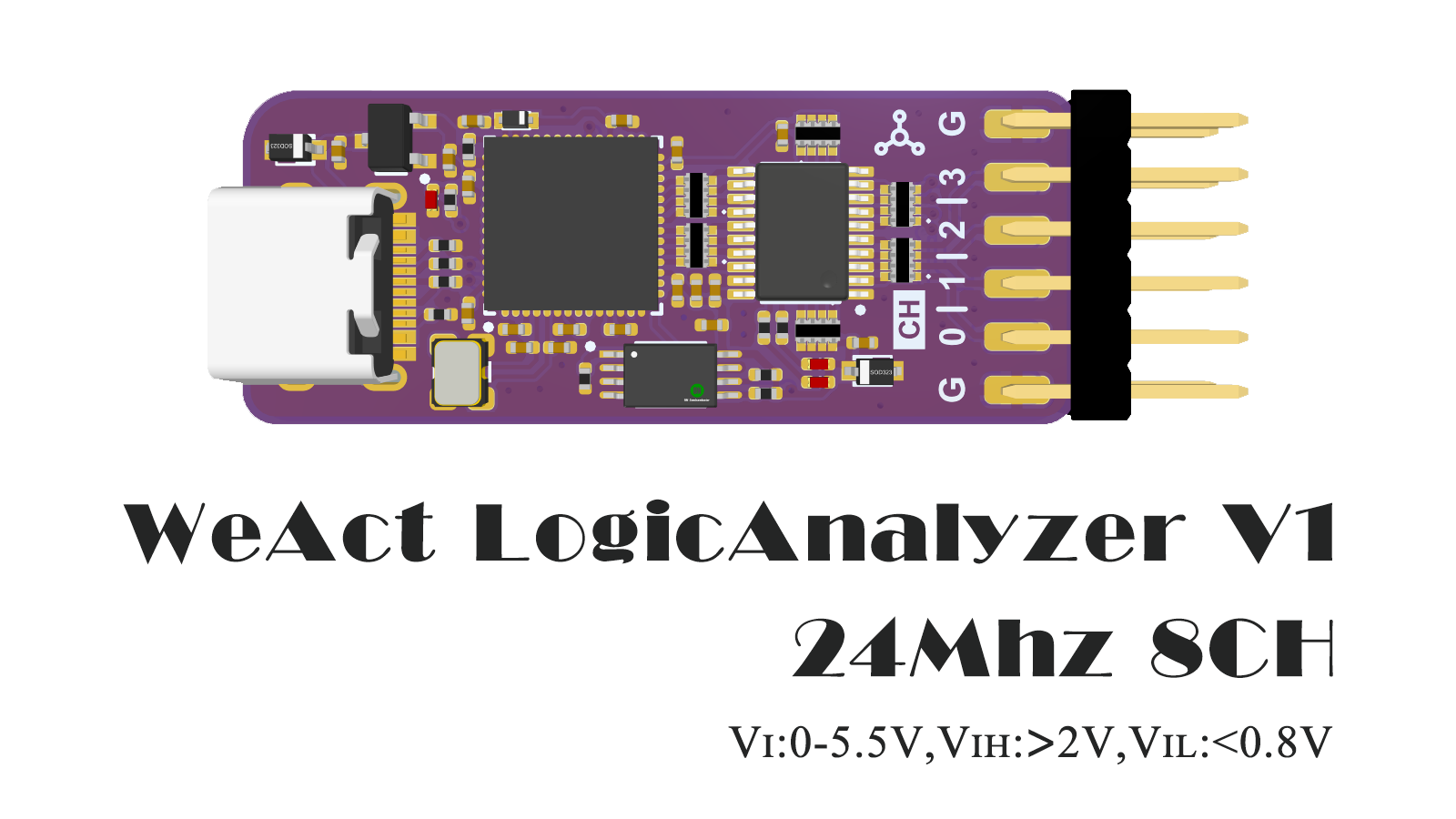
Overview
The WeAct LogicAnalyzerV1 is built around the Cypress CY7C68013A / Corebai CBM9002A USB controller. It captures eight channels at up to 24 MHz each, accepts logic levels up to 5.5 V, treats anything above 2 V as high and anything below 0.8 V as low. The host software is the open-source sigrok PulseView, which runs on Linux, Windows and macOS, ships decoders for over 100 protocols, and lets you add your own.
Specifications:
- Sample rate and channels: 24 MHz @ 8 channels
- Input range: 0–5.5 V
- Logic thresholds: VIH > 2 V, VIL < 0.8 V
- Interface: USB 2.0 (avoid USB hubs if you need the full 24 MHz)
Getting started
- Download a sigrok PulseView release build from the official download page.
If that link is unreachable, the build is mirrored here:
link:   https://pan.baidu.com/s/1mYjB2PLMgrGRIHdnY6oJ3A
code: ck7c- Install the driver for the analyzer.
PulseView ships the driver you need. After installing, run Zadig from the Start menu, select the device whose USB ID matches the screenshot below, tick Edit, rename it to
fx2lafw, then clickInstall Driver.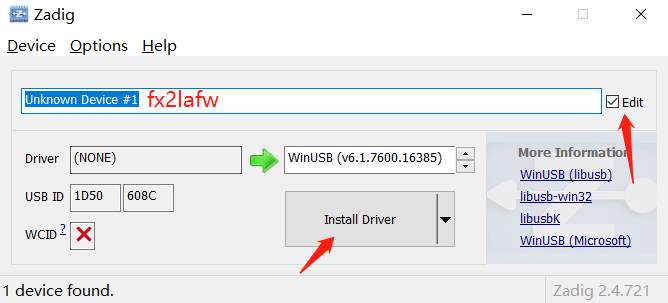
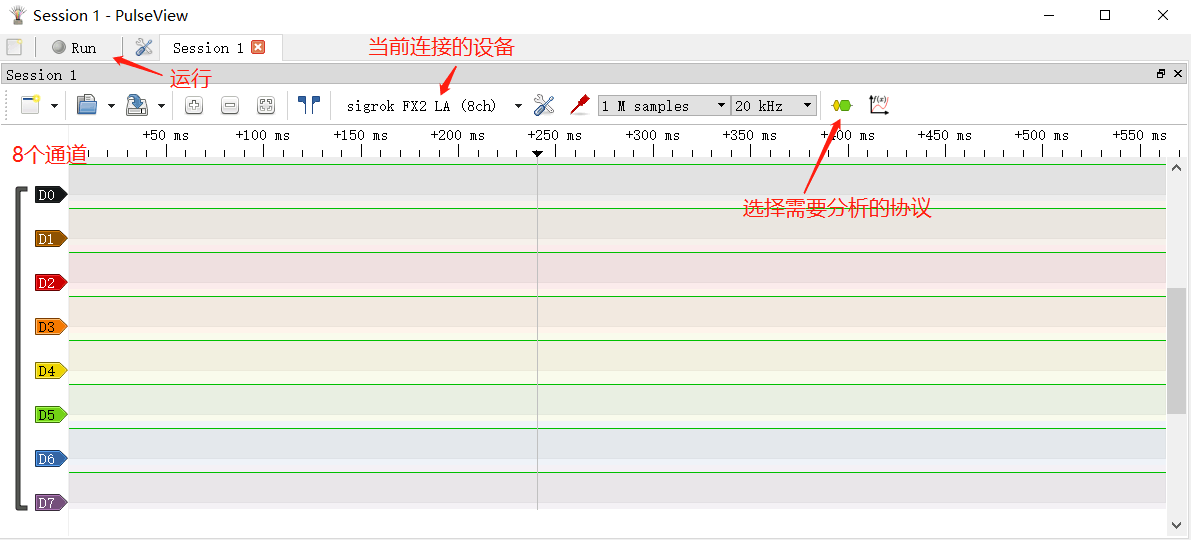
- Start PulseView. The yellow LED on the analyzer turns on, which means the firmware has loaded and it can sample logic signals.
Supported protocols
See sigrok's Supported protocol decoders.
FAQ
- Sampling never reaches 24 MHz
Plug the analyzer into a dedicated USB port rather than a hub.
- Why does a 10 MHz signal come out distorted?
A logic analyzer generally needs a sample rate 3–5× the signal frequency before a capture is clean.
- Why is no firmware provided?
PulseView writes the firmware over USB at runtime, so shipping a copy adds nothing.
- Can it be reprogrammed?
Yes, with your own programmer — but the EEPROM is only 2 Kbit.
- Which channels do the two LEDs indicate?
Green is CH0, blue is CH1.
- Can I change the USB VID/PID for my own DIY project?
We provide a VID/PID tool,
WeAct LogicAnalyzer Write— download it here. It exists so you can point the device at your own host software. We don't offer support for it, and a wrong write can brick the unit.
msvcr100.dllis reported missing
Download msvcr100.dll and put it in the same folder as
pulseview.exe, e.g.C:\Program Files (x86)\sigrok\PulseView\.
- TBD